How to Start an Etsy Shop with Phot.AI: A Step-by-Step Guide
Learn how to set up and optimize your Etsy shop with Phot.AI to create stunning product visuals and boost your sales effortlessly.
Table of Contents
- Introduction
- 1. Set Up Your Etsy Account
- 2. Set Up Your Product Listings and Details
- 3. Price Your Products
- 4. Add Shipping Costs
- 5. Establish a Payment System
- 6. Add Shop Policies
- 7. Customize Your Shop
- 8. Increase Traffic with Social Media
- 9. Increase Traffic with SEO
- Conclusion
Introduction
Starting an Etsy shop can be an exciting and rewarding way to launch your entrepreneurial journey. With millions of buyers worldwide, Etsy offers a fantastic platform to sell handmade goods, vintage items, or even digital products. If you're wondering how to become an Etsy seller, this guide will walk you through the entire process and show you how Phot.AI can help you design stunning product images and shop visuals to boost your sales.
1. Set Up Your Etsy Account
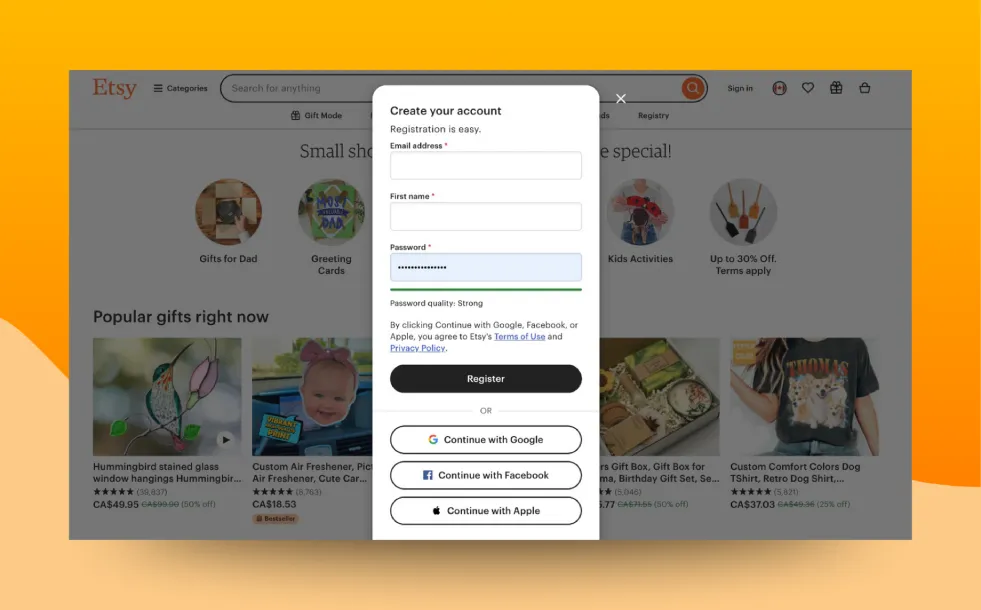
The first step in starting an Etsy shop is creating your Etsy account. You can easily sign up using your email or by connecting through Facebook or Google. Once registered, you'll click on "Open Your Etsy Shop" to begin setting up your store.
i. Choose a Unique Shop Name: Make sure your name is easy to remember, creative, and descriptive of the products you offer. This name will directly impact your Etsy shop website URL. With Phot.AI, you can quickly design a professional logo and shop banner that aligns with your brand identity.
ii. Craft a Compelling Shop Bio: Your bio is crucial to share the story behind your business. Use this section to explain why your products are unique, how they’re made, and why customers should shop with you. Let Phot.AI help you design a visually captivating bio page.
2. Set Up Your Product Listings and Details
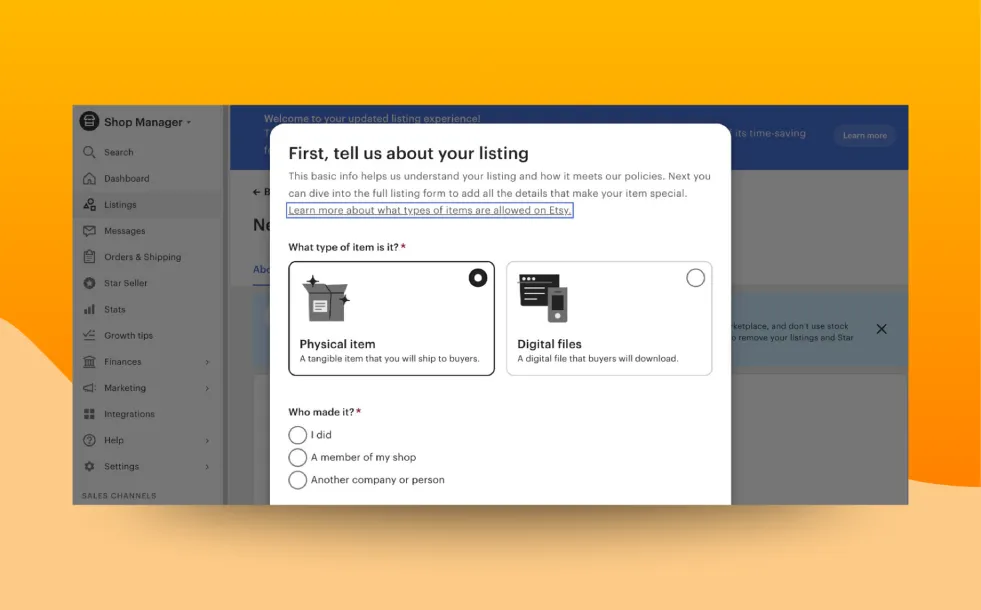
Once your shop is ready, it’s time to start making an Etsy shop by adding your products. Your product listings play a significant role in attracting potential buyers, so it's important to get this step right.
i. Product Descriptions: Craft detailed descriptions that include size, material, and any other unique features of your product. Use Phot.AI to design eye-catching product photos that will complement these descriptions and make your listings more appealing.
ii. High-Quality Images: Photos are everything on Etsy. Include up to 10 high-quality images for each item to showcase it from multiple angles. You can use Phot.AI to generate stunning images and even create mockups to make your product stand out.
3. Price Your Products
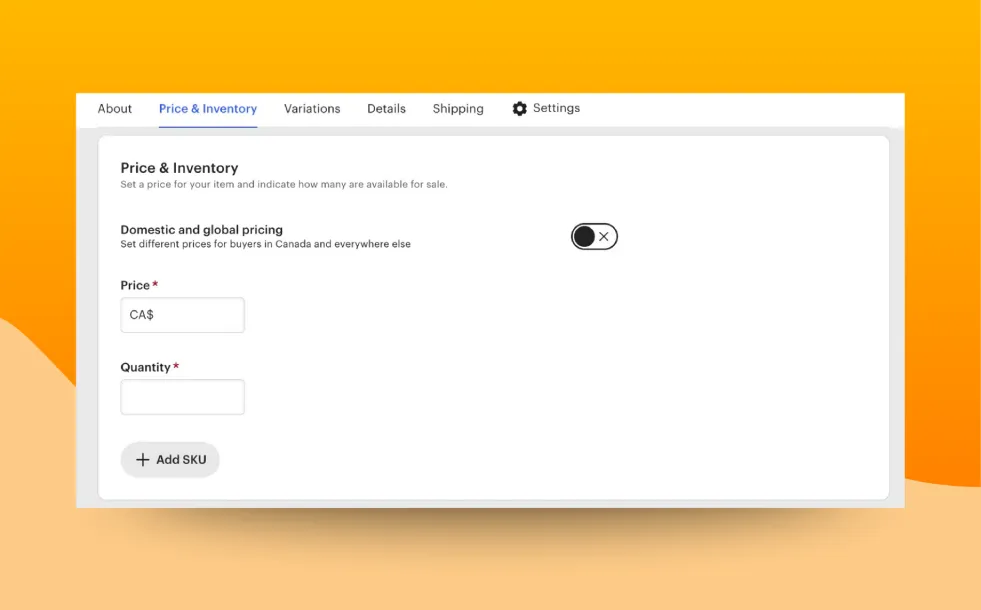
Pricing is an essential aspect of running a successful Etsy shop. Set your prices by considering material costs, labor, and additional expenses like shipping and Etsy’s fees. Remember, pricing too low may lead customers to question the quality, while pricing too high may deter buyers. Phot.AI can help by designing promotional graphics for discounts, sales events, or special offers to entice potential customers.
4. Add Shipping Costs
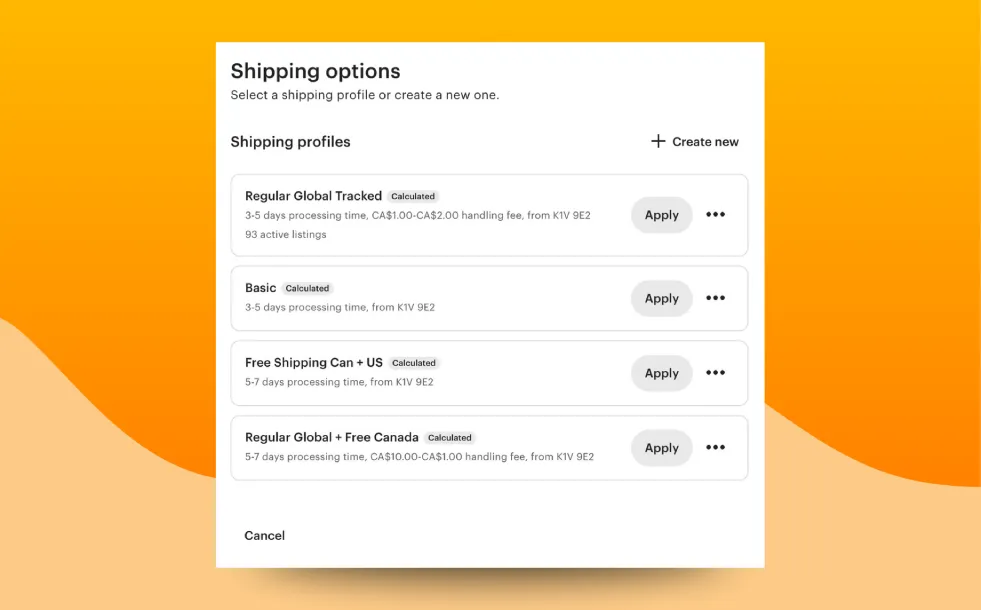
Shipping is a major factor in customer satisfaction. To stay competitive, it’s important to research and set fair shipping costs.
Use Phot.AI to create branded shipping labels, helping maintain your shop's professional image. Be transparent about shipping costs and consider offering free or discounted shipping to attract more customers.
5. Establish a Payment System
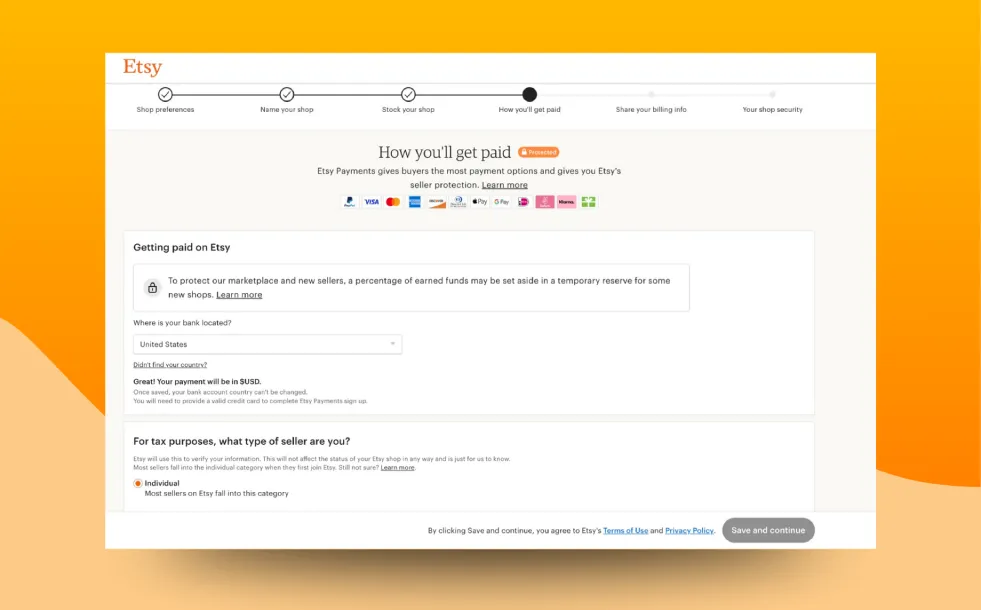
To start selling on Etsy, you'll need to set up a payment system. Etsy supports a variety of payment methods, including Etsy Payments and PayPal. This ensures that your customers can easily complete their purchases.
With Phot.AI, you can create beautiful promotional banners for your shop, advertising your secure payment methods and enhancing customer trust.
6. Add Shop Policies
Your shop policies are essential for ensuring a smooth shopping experience for your customers. Address important topics such as shipping times, returns, and exchanges.
Phot.AI can assist you in designing visually appealing shop policies, making it easier for customers to understand what they can expect from your shop.
7. Customize Your Shop
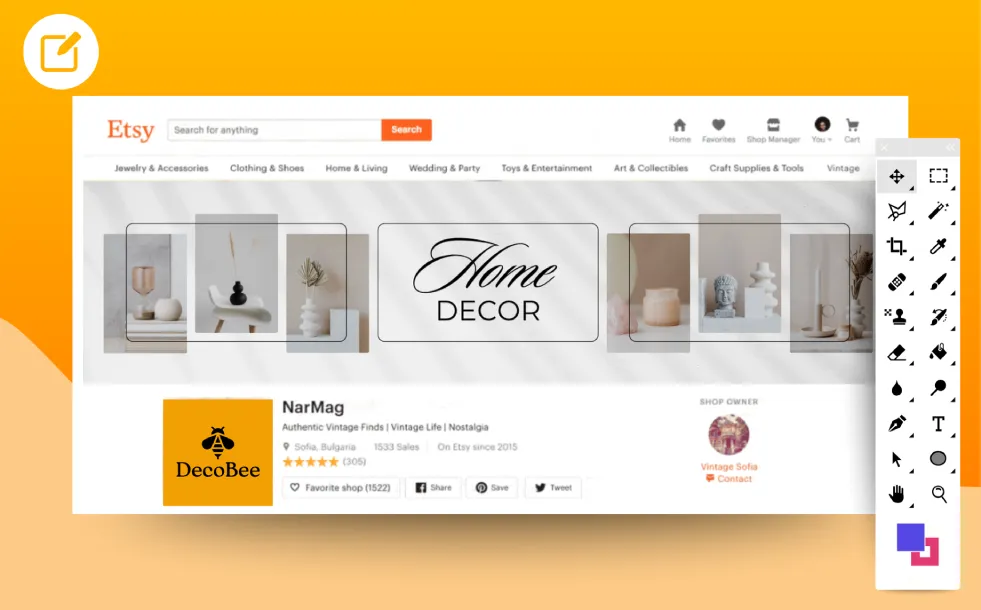
Now that your shop is set up, it's time to create an Etsy shop that reflects your brand's identity. Visual Branding: Customize your Etsy store setup with a unique logo, banner image, and cohesive colors. Use Phot.AI to create a striking shop logo, banner, and promotional assets that will attract customers to your shop.
8. Increase Traffic with Social Media

To grow your Etsy shop, you need to drive traffic. Social media platforms like Facebook, Instagram, and Pinterest are great tools for showcasing your products and reaching new customers. Use Phot.AI to create engaging social media posts, showcasing your products with high-quality visuals and promoting special offers or new items.
9. Increase Traffic with SEO
Search engine optimization (SEO) is essential to ensure your Etsy shop ranks higher in search results. Research keywords relevant to your products and include them in your product titles, descriptions, and tags.
Phot.AI can help design visually optimized content for your blog and product pages that improve your SEO ranking and help your Etsy store get discovered.
Conclusion
Starting an Etsy shop is an exciting venture that requires creativity, dedication, and attention to detail. With the right strategy and tools like Phot.AI, you can easily create professional, eye-catching visuals that set your shop apart from the competition. Whether you're designing product photos, shop banners, or promotional graphics, Phot.AI can help you create a visually stunning Etsy store that attracts customers and drives sales.
Ready to start your Etsy journey? Begin setting up your shop today and let Phot.AI help you create compelling visuals that make your store stand out!